Blog
How to Track World Cup Group Payments with Nigerian Fintech Apps
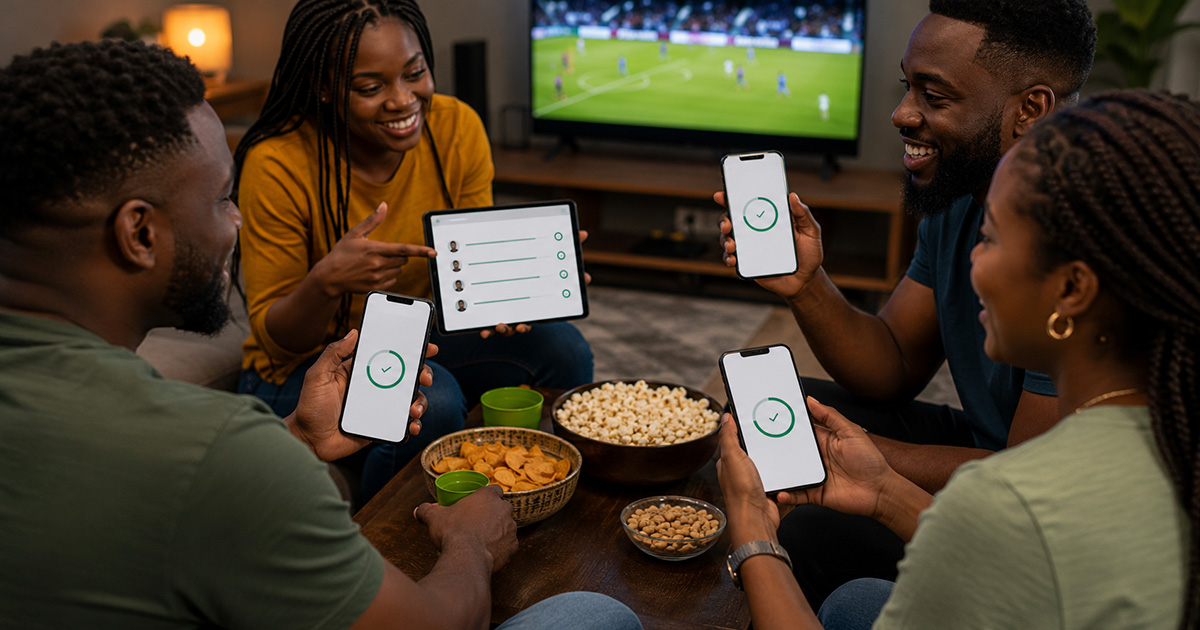
Why Group Payments Get Messy During Football Season
World Cup watch parties often start with simple plans: one person pays for data, another pays for drinks, someone books the viewing spot, and everyone promises to transfer later. The problem is not always dishonesty. It is usually poor tracking, unclear amounts, failed transfers, duplicate payments, or people sending money without a useful narration.
Nigeria’s payment habits have shifted heavily toward digital transfers, wallets, and mobile banking. That makes group spending easier, but it also creates new problems when several people are contributing at the same time. A clean system helps the organiser avoid arguments and helps contributors know exactly what they are paying for.
What Counts as a World Cup Group Payment?
A group payment is any shared cost that several fans agree to split. During the World Cup period, this can include:
- Viewing-centre reservations or private watch-party space.
- Food, drinks, snacks, ice, cups, or delivery fees.
- Mobile data, Wi-Fi, router subscription, or backup airtime.
- Transport arrangements after late matches.
- Projector, speaker, chair, generator, or fuel contributions.
- Legal streaming subscriptions or app payments where applicable.
Do not mix group payments with gambling pools, anonymous collections, or unclear investment promises. Keep the purpose specific and visible.
Set the Rules Before Asking People to Transfer
Payment tracking works best before money starts moving. Send a short message to the group with four details:
- Total budget: The expected cost and what it covers.
- Share per person: The amount each person should send.
- Deadline: The time payment must arrive before booking or buying.
- Narration format: A simple transfer note such as "WC food - Tunde" or "watch party data - Amaka".
If people send different amounts without context, your transaction history becomes harder to read. Narration is a small habit that prevents many disputes.
Fintech App Features That Help
You do not need a complex accounting app. Most Nigerian banking or wallet apps already provide useful tools if you use them properly.
| Feature | How It Helps | What to Check |
|---|---|---|
| Instant alerts | Confirms who has paid without refreshing the app repeatedly. | Make sure SMS, email, or push notifications are active. |
| Transaction narration | Shows the purpose of each payment. | Ask contributors to use the same format. |
| Downloadable statements | Helps after the event if someone disputes payment. | Export only what is relevant; avoid sharing private full statements. |
| Saved beneficiaries | Reduces mistakes when refunding or paying vendors. | Confirm names before sending money. |
| Spending limits | Prevents one accidental transfer from draining your balance. | Set limits before a busy match night. |
A Simple Tracking System for Watch-Party Organisers
Use one account or wallet for the event if possible. Mixing personal transfers, business sales, family money, and group contributions in one stream can become confusing. Then follow this simple process:
- Create a list of expected contributors.
- Write the agreed amount beside each name.
- Ask everyone to use the same transfer narration.
- Mark people as paid only after the alert or app history confirms it.
- Screenshot or export only the relevant transaction if proof is needed.
- Record every outgoing payment to vendors, drivers, food sellers, or service providers.
- After the event, share a short summary: amount collected, amount spent, and balance if any.
A spreadsheet is helpful, but a notebook or simple notes app can work if the group is small. The important part is consistency.
How to Handle Failed or Delayed Transfers
Failed transfers are common during busy periods, especially when many people are using mobile networks and banking apps at the same time. Do not count a payment only because someone shows "pending" on their screen. Use these rules:
- Mark payment as pending until your own app or alert confirms receipt.
- Ask the sender not to resend immediately unless their bank confirms reversal or failure.
- Keep unpaid and pending names separate to avoid public embarrassment.
- If money arrives after the purchase deadline, decide whether it becomes a refund or credit for the next event.
This protects both sides. The sender may have genuinely paid, but the organiser should not spend money that has not arrived.
Security Checks Before Match Night
World Cup hype can make people careless with payments. Before collecting money, check the basics:
- Update your banking or wallet app from the official app store only.
- Use a strong device lock and do not share your phone around the viewing centre.
- Do not send OTPs, card details, or account passwords to anyone claiming to help with a transfer.
- Avoid public Wi-Fi for banking if you do not trust the network.
- Confirm vendor account names before paying for food, space, or equipment.
- Keep private balances and unrelated transactions out of group screenshots.
Payment transparency does not mean exposing your entire financial life to a WhatsApp group.
When to Use Cash Instead
Digital payments are convenient, but they are not always the best option. Cash may be simpler when the group is very small, the network is poor, or vendors do not accept transfers. If you use cash, still write down who paid and what was spent. The problem is not the payment method; the problem is poor records.
Common Mistakes to Avoid
- Using vague narration: "Money" or "transfer" does not help when ten people pay at once.
- Sharing full bank screenshots: Crop sensitive details and show only what the group needs.
- Counting promises as payments: Buy only with funds that have arrived.
- Changing the budget silently: If costs rise, tell contributors before spending more.
- Using one person’s private account without agreement: This can create mistrust if the group is large.
A Quick Template You Can Send to the Group
Use this as a simple message before collecting money:
World Cup watch-party contribution: ₦____ per person. Covers: food, drinks, viewing space, and data backup. Send to: [account/wallet details]. Use narration: "WC party - your name". Deadline: ____. I will share the collection and spending summary after the event.
Clear instructions reduce back-and-forth and make it easier to identify each payment.
Final Takeaway
Nigerian fintech apps can make World Cup group payments faster, but they do not replace basic organisation. Set the amount early, ask for clear narrations, confirm alerts before spending, protect private information, and share a simple summary after the event. That is usually enough to prevent most watch-party payment disputes before they start.