Blog
How Nigerian Fans Can Use Budgeting Apps to Control World Cup Spending
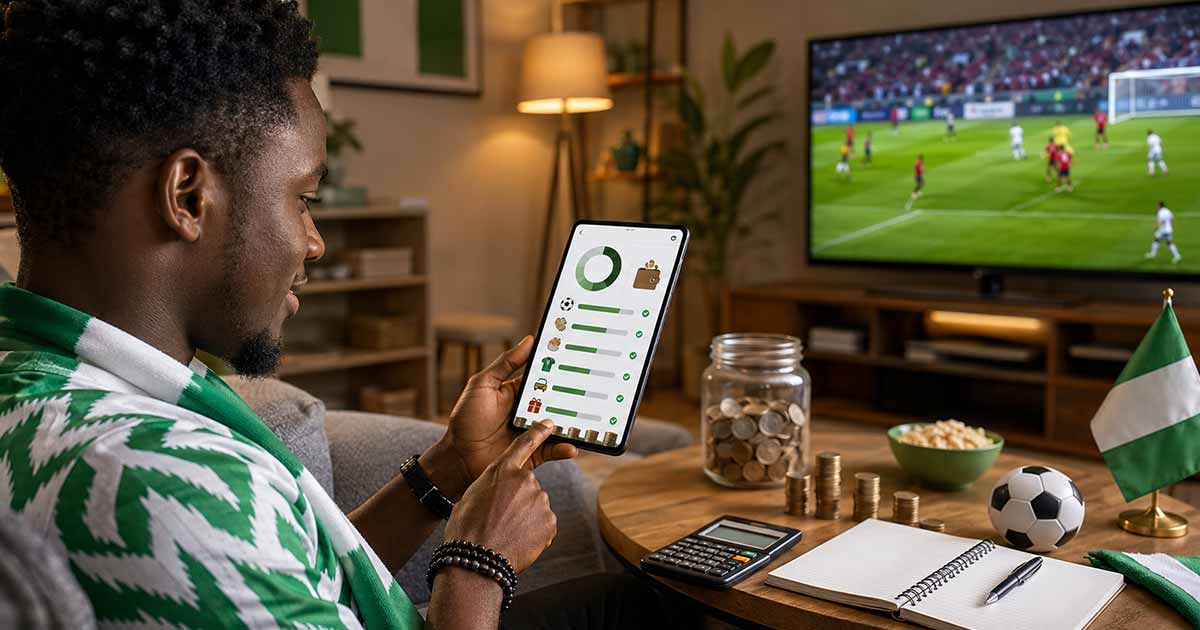
World Cup season can make small expenses look harmless until they pile up. A streaming subscription here, extra mobile data there, transport to a viewing centre, food for friends, a new jersey, and a few online payments can quickly disturb a monthly budget. For Nigerian fans dealing with changing prices, failed transfers, card limits, and dollar-linked services, tracking spending is not a luxury. It is a safety habit.
Budgeting apps, wallet apps, bank alerts, and simple spreadsheets can help fans see where money is going before the month becomes stressful. The aim is not to stop enjoying football. The aim is to enjoy it without losing control of rent, food, school expenses, business cash, or emergency savings.
Why World Cup Spending Needs Tracking
Football spending is emotional. Fans often pay because the match is about to start, friends are waiting, or a subscription renewal is urgent. That pressure makes it easy to ignore the real cost. Unlike a single planned purchase, World Cup spending usually comes from many small payments across several weeks.
Common spending categories include:
- Streaming subscriptions and app renewals
- Mobile data and Wi-Fi contributions
- Food, drinks, and watch party supplies
- Transport to viewing centres or friends' homes
- Gift cards, virtual cards, or dollar payments for online services
- Fan merchandise and social media promotions
- Small transfers to friends for shared costs
If these expenses are not separated, they disappear inside normal bank transactions. A budgeting app or expense tracker helps you label them clearly.
What Budgeting Apps Actually Help With
Many young Nigerians already use fintech apps for everyday transfers, savings, dollar payments, and expense tracking. Some use dedicated savings apps, some rely on wallet apps, and others use bank statements plus manual trackers. The best tool is not always the most popular one. It is the one you will actually update.
| Need | Useful App Feature | Why It Matters During World Cup |
|---|---|---|
| Control impulse spending | Daily or weekly spending limit | Prevents match-night excitement from eating salary or allowance |
| Track subscriptions | Recurring payment notes | Helps you cancel services after the tournament if needed |
| Manage group costs | Separate category or wallet | Shows what you spent for friends versus yourself |
| Protect savings | Locked savings or goal pockets | Reduces the temptation to use emergency money for entertainment |
| Handle dollar payments | Virtual card or FX transaction history | Makes foreign-currency charges easier to review |
Create a Separate World Cup Budget Category
Do not mix football spending with general entertainment. Create a dedicated category called “World Cup” or “Football Month” in your tracker. If your app does not support custom categories, use notes, transaction descriptions, or a simple spreadsheet.
A basic fan budget can include:
- Streaming and subscription limit
- Data or internet limit
- Food and drinks limit
- Transport limit
- Merchandise limit
- Emergency buffer that must not be touched
This separation gives you a clear answer when friends suggest another outing or watch party. You are not guessing; you can check what remains.
Use Alerts Before You Use Credit
Some fans may be tempted to use loan apps, overdrafts, or borrowed money for match-related spending. That is risky. Football entertainment should not create debt pressure. Before considering credit, set low-balance alerts and spending reminders. If the alert shows that your budget is almost finished, reduce plans instead of borrowing.
If you already use savings or wallet apps, keep essential funds separate from casual spending money. A locked savings pocket, emergency account, or separate bank app can create friction. Friction is useful when excitement is high.
Watch Out for App and Payment Risks
Digital tools are helpful, but they are not risk-free. During major events, scams increase because people are searching for cheap subscriptions, discounted merchandise, free data, and giveaway links. A budgeting app will not protect you if you willingly send money to a fake vendor.
Use these checks before paying online:
- Download finance apps only from official app stores.
- Check app permissions before granting access to contacts, SMS, or files.
- Do not enter card details on random streaming or giveaway pages.
- Confirm vendor identity before paying for merchandise or watch party slots.
- Review failed transfers inside your banking app, not only through screenshots.
- Do not share OTPs, PINs, card numbers, or login codes with anyone.
A safe budget is not only about spending less. It is also about avoiding preventable losses.
How to Track Group Watch Party Costs
Group spending is where many fans lose track. One person pays for drinks, another pays for data, someone else covers transport, and later nobody agrees on the numbers. Use one shared note or spreadsheet before money moves.
For small groups, use this simple method:
- Agree on the total budget before buying anything.
- Assign one person to collect contributions.
- Record every expense with amount, purpose, and payer.
- Keep receipts or transfer confirmations for large items.
- Close the account after the watch party instead of carrying debts forward.
If one person is hosting regularly, create a repeat budget for each match night. That makes future planning faster and reduces arguments.
Review Dollar-Linked Payments Carefully
Some streaming, app, or online purchases may be priced in foreign currency or affected by card restrictions. Before paying, check the final amount, bank charge, card limit, and renewal setting. A subscription that looks affordable once may become expensive if it renews automatically or if exchange costs change.
Use a checklist before any dollar-linked payment:
- Is this a one-time payment or recurring subscription?
- What is the total cost after card or platform charges?
- Can your card or virtual card complete the transaction?
- Is there a cheaper local payment option?
- Have you set a reminder to cancel after the tournament if you no longer need it?
Do not keep trying failed card payments without checking why they failed. Multiple attempts can create confusion, temporary holds, or duplicate concerns.
A Simple Weekly Review Routine
Tracking only works if you review it. Set ten minutes every Sunday or after a major match week to check your World Cup category. Ask:
- Which expense was higher than expected?
- Did any friend still owe money?
- Did any subscription renew automatically?
- Did data spending rise because of streaming quality?
- Do you need to reduce next week's watch party plans?
This review turns the app from a passive record into a decision tool.
When a Spreadsheet Is Better Than an App
If you do not want another finance app, a spreadsheet or phone note is enough. Create columns for date, item, amount, payment method, category, and comment. This is especially useful for group watch parties or small vendors who are managing customer payments.
The advantage of a spreadsheet is control. The disadvantage is discipline. If you forget to update it for several days, the record becomes weak. Choose the method that matches your habits.
Final Thoughts
World Cup season should not leave Nigerian fans financially confused. Budgeting apps and simple trackers can help you separate football spending from essential expenses, monitor subscriptions, control group costs, and spot risky payments early. The best setup is simple: one World Cup category, clear limits, payment alerts, and a weekly review.
You can enjoy the tournament, join watch parties, and pay for digital services without turning every match into a money problem. Track first, spend with intention, and protect the funds that matter after the final whistle.