Blog
How to Check if an iPhone is Original Before Buying in Nigeria
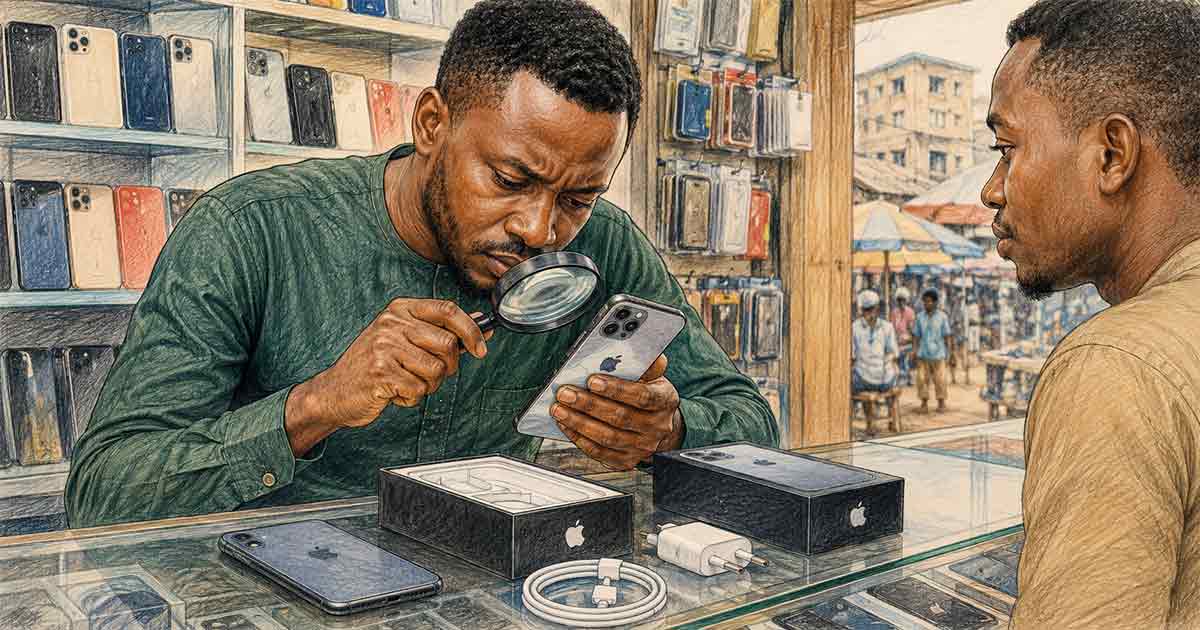
Why Buying a Fake iPhone in Nigeria Is Still a Real Risk
Nigeria's secondhand smartphone market is large, active, and unfortunately infiltrated by counterfeit and compromised devices. The scale of the problem goes beyond outright fakes — it includes iPhones that have been reported stolen, devices locked to previous owners' Apple IDs, phones with degraded batteries misrepresented as healthy, and refurbished units sold at new device prices without disclosure.
Understanding how to verify an iPhone before purchase is not optional — it is the difference between a reliable device and an expensive mistake. The good news is that Apple provides multiple official verification tools, and the checks can be done in minutes before you hand over any money.
This guide covers the specific checks that matter most in the Nigerian market context, where device histories are often opaque and sellers may not volunteer unfavorable information.
Key Verification Checks Before Buying an iPhone in Nigeria
1. Check for iCloud Lock (Activation Lock)
iCloud Activation Lock is the single biggest risk when buying a used iPhone in Nigeria. If the previous owner's Apple ID is still linked to the device, you will not be able to set it up as your own — the phone will be permanently locked to that account unless the original owner removes it. A locked phone is essentially worthless unless you know and can contact the previous owner.
To check before purchase: ask the seller to turn on the phone. If it boots to the normal setup screen or the home screen (where you can navigate freely), the Activation Lock is not set. If it shows an "Activation Lock" screen asking for an Apple ID and password that the seller cannot provide, walk away. You can also check remotely using Apple's IMEI checker at checkcoverage.apple.com with the device's serial number before handing over cash.
2. Verify Battery Health
Battery degradation is invisible from the outside but dramatically affects usability. iPhone batteries are rated for 500 full charge cycles. A used iPhone with heavy use could have a battery at 70% or lower capacity, meaning significantly shorter usage per charge than a new device.
To check: go to Settings > Battery > Battery Health and Charging. Anything below 80% means the battery is due for replacement, which costs between ₦15,000 and ₦40,000 depending on model and service provider. Factor this into your offer price or walk away from devices below 75%.
3. Check the Serial Number and IMEI
Every genuine iPhone has a unique serial number and IMEI. The serial number is found in Settings > General > About. Cross-check it against the physical serial number printed on the device's SIM tray or, for older models, the back of the device. A mismatch signals a swapped motherboard or a counterfeit chassis.
For IMEI verification, dial *#06# — the IMEI will display on screen. Compare this against the IMEI printed on the original box (if available) and what appears in Settings > General > About. Run the IMEI through Apple's official checker at checkcoverage.apple.com to confirm it is a genuine Apple device and to see the warranty and purchase date.
4. Check the Screen and Physical Authenticity
Genuine iPhone displays have a specific look and feel: consistent brightness across the screen, accurate color reproduction, and the Apple logo centered precisely on the back. Counterfeit iPhones often have screens with uneven brightness, visible pixelation at the edges, or logos that are slightly misaligned.
Test the touchscreen responsiveness by opening the keyboard and typing. Genuine displays respond uniformly across the entire surface. Also inspect the build quality at the seams — genuine iPhones have tight, uniform gaps between the screen glass and the aluminum frame.
Practical Buying Recommendations for Nigeria
These are the ground rules for buying an iPhone in Nigeria with minimal risk:
Buy from authorized resellers or verified stores when possible. While prices are higher than the open market, you get a verified device history and some form of guarantee. Stores affiliated with Apple's official channels or major Nigerian electronics retailers are preferable to roadside sellers or unverified social media vendors.
Insist on in-person inspection. Never buy an iPhone based solely on photos or a video call. Inspection must be hands-on — you need to hold the device, run through the checks above yourself, and test core functions before committing.
Test cellular connectivity. Insert your SIM and confirm it registers on the network. Some devices sold in Nigeria are carrier-locked to foreign networks and will not function on local carriers without unlocking.
Negotiate based on condition, not asking price. Battery health below 80%, signs of screen replacement, or any failed check above should translate to a direct price reduction request or a decision to walk away. The asking price in Nigeria's secondhand market is a starting position, not a fixed price.