Blog
How to Spot a Fake iPhone Before Buying in Nigeria (Verification Checklist)
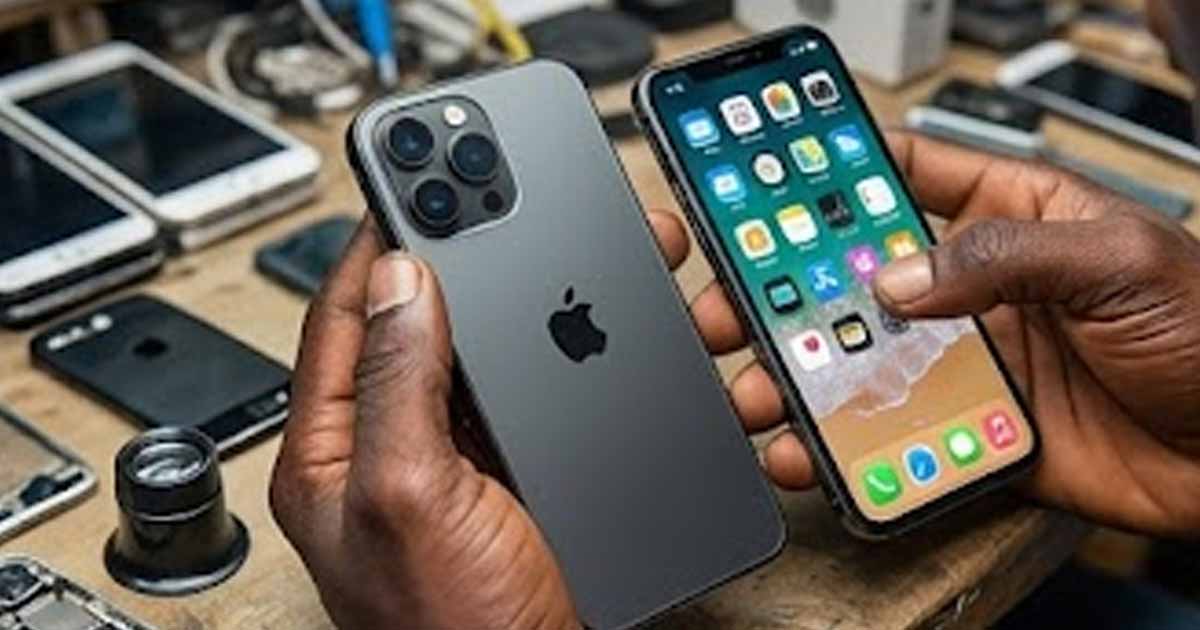
Why Fake iPhones Are a Real Problem in Nigeria
Nigeria's phone market is flooded with clones, refurbished devices sold as new, and stolen phones with active iCloud locks. The fakes have gotten sophisticated enough that a quick glance will not save you. Some clones run modified Android systems that mimic iOS interfaces, complete with fake App Store icons and settings menus that look convincing at first glance.
The cost of getting this wrong is not just financial. A locked or fake device is essentially a paperweight. This checklist gives you a systematic way to verify any iPhone before handing over your money.
The 4-Point Verification System
Every iPhone purchase in Nigeria should pass these four checks. If the device fails any single one, walk away or negotiate accordingly.
Check 1: iCloud Activation Lock Status
This is the most critical check. If a previous owner's Apple ID is still linked to the device, you will not be able to use it normally, and removing the lock without the original owner is nearly impossible through legitimate means.
How to verify:
- Ask the seller to reset the device to factory settings in front of you
- Start the setup process from the "Hello" screen
- If the phone asks for an Apple ID and password that is not yours, the iCloud lock is active
- A clean device will proceed through setup without requesting someone else's credentials
Red flags:
- Seller refuses to reset the device
- Seller claims they "forgot" the Apple ID password
- Device is already set up and seller insists you do not need to reset it
Check 2: Battery Health
Every genuine iPhone running iOS 11.3 or later has a built-in battery health indicator. This serves two purposes: it tells you the battery condition, and its presence confirms the device is running real iOS.
How to verify:
- Go to Settings → Battery → Battery Health & Charging
- Check the Maximum Capacity percentage
- Look for the Peak Performance Capability message
What to look for:
- A new or nearly new iPhone should show 95-100% maximum capacity
- A used iPhone with 80% or above is still in acceptable condition
- Below 80%, Apple considers the battery degraded and performance throttling may occur
- If the Battery Health section is missing entirely, the device may not be running genuine iOS
Important note: If the battery has been replaced with a non-Apple part, you may see a "Service" message or "Unknown Part" warning. This does not mean the phone is fake, but it does mean a component has been changed.
Check 3: Apple Warranty and Serial Number Verification
Apple maintains a database of every genuine device. You can verify any iPhone against it using the serial number.
How to verify:
- Go to Settings → General → About
- Find and copy the Serial Number
- Visit checkcoverage.apple.com on another device
- Enter the serial number
What a genuine result looks like:
- The page displays the correct model name matching the physical device
- It shows whether the device has valid purchase date
- It indicates warranty or AppleCare status
What a fake result looks like:
- "We're sorry, but this serial number is not valid"
- The model shown does not match the phone you are holding
- No information is returned at all
Check 4: Physical and Hardware Inspection
Apple's manufacturing precision is extremely difficult to replicate. Clones almost always have subtle physical differences that reveal themselves under close inspection.
What to examine:
- Build quality: Genuine iPhones feel solid and precisely assembled. Gaps between the screen and frame should be uniform and minimal.
- Apple logo: Should be perfectly centered on the back, flush with the surface (not a sticker or raised emblem).
- Camera module: Lenses should be perfectly aligned. On newer models, the camera bump has specific dimensions and finish.
- Buttons: Power, volume, and mute switch should feel firm with precise click feedback. Mushy or loose buttons indicate a clone.
- Speaker grills: Holes should be uniform in size and spacing. Clones often have irregular or painted-on speaker holes.
- Screen quality: Genuine iPhone displays are sharp, bright, and have accurate colors. Clones often have slightly washed-out or overly saturated screens.
- Lightning/USB-C port: Should be precisely machined with no rough edges.
Functional tests to perform:
- Face ID or Touch ID enrollment and unlock
- Front and rear camera (check for Portrait mode on supported models)
- Both speakers (play audio and verify stereo output)
- Wireless charging (if you have a charger available)
- App Store access (try downloading a free app)
Additional Verification Methods
IMEI Check
Dial *#06# on the device to display the IMEI number. Then:
- Compare it to the IMEI shown in Settings → General → About
- Compare it to the IMEI printed on the original box (if available)
- All three should match exactly
If the IMEI from *#06# does not match what is shown in Settings, the software has been tampered with.
Software Verification
- Open the App Store and try to download an app. Clones running Android cannot access the real App Store.
- Try using Siri. Fake iPhones either do not have Siri or have a noticeably different voice assistant.
- Check for iOS-specific features like AirDrop, iMessage (blue bubbles), and FaceTime.
Where to Buy Safely in Nigeria
Your risk level depends heavily on where you purchase:
Lower Risk
- Authorized Apple resellers: iStore, Slot, and similar chains carry verified stock
- Reputable online platforms: Established e-commerce sites with return policies
- Verified sellers with track records: Sellers with verifiable customer reviews and physical locations
Higher Risk
- Computer Village (Ikeja): Wide selection but requires strong verification skills
- Social media sellers: No accountability if the device is fake
- "Too good to be true" deals: If the price is 30-50% below market rate, something is wrong
Price Reality Check (2026)
Knowing approximate market prices helps you spot suspicious deals:
- iPhone 15 (new): ₦750,000 – ₦900,000
- iPhone 14 (new): ₦550,000 – ₦700,000
- iPhone 13 (used, good condition): ₦350,000 – ₦450,000
- iPhone 12 (used, good condition): ₦250,000 – ₦350,000
Prices vary by storage capacity and condition. If someone offers a device significantly below these ranges, apply extra scrutiny.
Frequently Asked Questions
Can a fake iPhone pass the serial number check?
Sophisticated clones sometimes use serial numbers copied from real devices. However, the model information returned by Apple's checker should match the physical device you are holding. If the checker says "iPhone 13" but you are looking at what claims to be an iPhone 15, it is fake.
What if the seller says the phone is "refurbished"?
Legitimate refurbished iPhones still pass all four verification checks. They have valid serial numbers, working battery health indicators, and no iCloud lock. "Refurbished" should not be an excuse for failing any check.
Is it safe to buy a used iPhone without the original box?
Yes, as long as the device passes all four checks. The box is helpful for IMEI cross-referencing but is not essential. Many legitimate used phones no longer have their original packaging.
What should I do if I already bought a fake?
If you purchased from a platform with a return policy, initiate a return immediately. If you bought from a physical seller, return with evidence (screenshots of failed serial number checks) and request a refund. For social media purchases with no recourse, report the seller to the platform.
The 60-Second Pre-Purchase Routine
If you remember nothing else, do these three things before paying:
- Dial *#06# and compare the IMEI to Settings → General → About
- Check Battery Health in Settings → Battery → Battery Health & Charging
- Open the App Store and download any free app
These three steps take under 60 seconds and catch the vast majority of fakes and problematic devices. For a more thorough check, run through the full 4-point system above.