Blog
How to Use WhatsApp Payments in Nigeria: Setup, Limits, and What You Need to Know
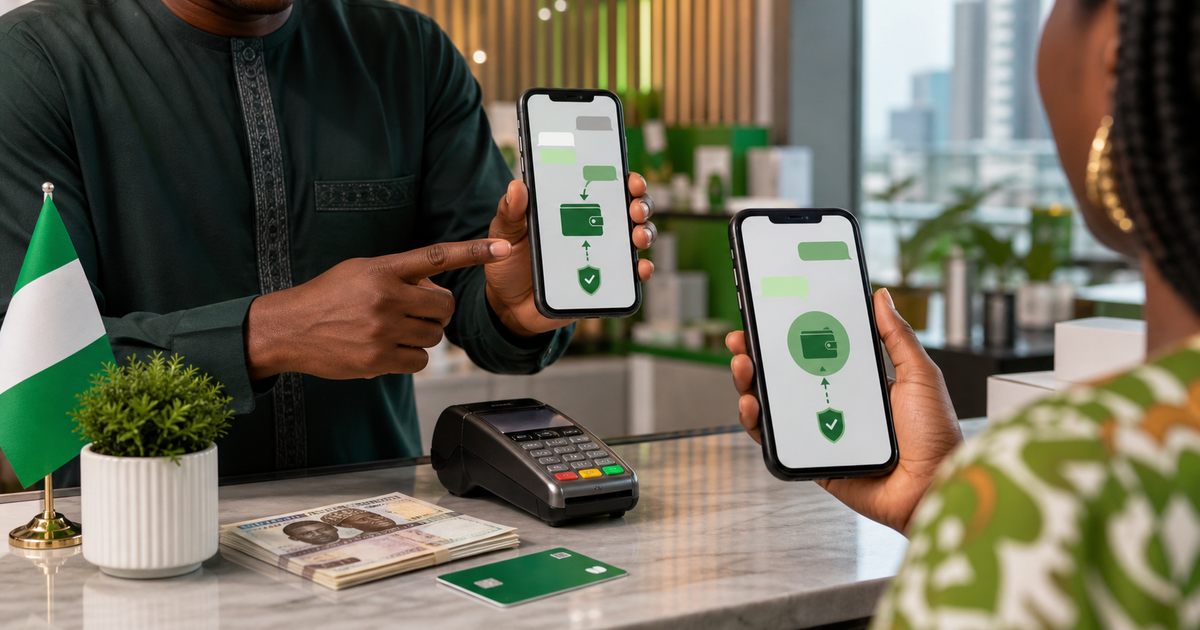
WhatsApp Payments Brings Money Transfers into Your Chat App
WhatsApp Payments allows you to send and receive money directly within WhatsApp conversations. For Nigerians, this means you can transfer money to contacts without switching to a banking app, dialing USSD codes, or visiting a POS agent. The feature is built into the same app most Nigerians already use daily for messaging.
But WhatsApp Payments is not a full replacement for your bank app or other payment tools. It has specific limits, requirements, and use cases where it makes sense. This guide explains how it works in Nigeria.
How WhatsApp Payments Works in Nigeria
WhatsApp Payments in Nigeria is powered by the Nigeria Inter-Bank Settlement System (NIBSS). When you send money through WhatsApp, the transaction goes through the same banking infrastructure that handles regular bank transfers. It is not a separate wallet or stored-value system.
This means:
- Money comes directly from your linked bank account
- Money received goes directly into the recipient's linked bank account
- There is no WhatsApp wallet balance to manage
- Transactions are processed through standard Nigerian banking rails
How to Set Up WhatsApp Payments
Requirements
- A Nigerian phone number registered on WhatsApp
- A bank account with a supported Nigerian bank
- Your BVN (Bank Verification Number) linked to that account
- A debit card associated with the account for verification
Setup steps
- Open WhatsApp and go to Settings.
- Tap Payments.
- Tap Add payment method.
- Select your bank from the list of supported banks.
- Enter your debit card details for verification.
- Confirm with the OTP sent to your registered phone number.
- Once verified, your bank account is linked and ready to use.
The setup process takes a few minutes. If your bank is not listed, it may not be supported yet. WhatsApp has been gradually adding more Nigerian banks over time.
How to Send Money
- Open a chat with the person you want to pay.
- Tap the attachment icon or the payment icon in the chat.
- Enter the amount.
- Confirm the transaction with your payment PIN.
- The money is sent directly from your bank account to theirs.
The recipient must also have WhatsApp Payments set up to receive the funds directly. If they have not set it up, they will be prompted to do so.
How to Receive Money
When someone sends you money through WhatsApp Payments, you receive a notification in the chat. The funds are deposited into your linked bank account. There is no action required on your end beyond having the payment feature set up.
Transaction Limits
WhatsApp Payments in Nigeria has transaction limits that are set based on regulatory requirements:
- There is a per-transaction limit
- There is a daily transaction limit
- There may be a maximum number of transactions per day
These limits are designed for person-to-person transfers, not large business transactions. If you need to move larger amounts, traditional bank transfers or other payment methods are more appropriate.
Check the current limits within the WhatsApp Payments settings, as they may be updated periodically.
Fees
WhatsApp Payments in Nigeria is currently free for person-to-person transfers. There are no charges from WhatsApp for sending or receiving money. However, your bank may apply its own policies regarding transaction notifications or account maintenance that are separate from WhatsApp.
Security Features
WhatsApp Payments includes several security measures:
Payment PIN
You set a payment PIN during setup that is required for every transaction. This is separate from your WhatsApp account PIN or phone lock.
Biometric authentication
On supported devices, you can use fingerprint or face recognition to authorize payments instead of entering your PIN each time.
End-to-end encryption
Payment messages are protected by WhatsApp's encryption. However, the actual financial transaction is processed through NIBSS and your bank's systems.
Transaction history
All payments are logged in your WhatsApp Payments history, giving you a record of every transaction.
When WhatsApp Payments Makes Sense
- Splitting bills with friends after a meal or shared expense
- Sending money to family members quickly
- Paying for small purchases from contacts you already chat with
- Quick transfers when you do not want to open a separate banking app
- Situations where both parties are already in a WhatsApp conversation
When Other Methods Are Better
- Large transactions that exceed WhatsApp's limits
- Business payments that need formal invoicing or documentation
- Transfers to people who have not set up WhatsApp Payments
- International transfers, which WhatsApp Payments does not support in Nigeria
- Payments to merchants or businesses that use dedicated payment terminals
Common Problems and Solutions
Bank not supported
If your bank is not on the list, you cannot use WhatsApp Payments with that account. You can either wait for your bank to be added or link a different bank account.
Verification fails
Make sure your BVN is properly linked to your bank account and that the debit card details you enter match the account exactly. If verification keeps failing, contact your bank to confirm your account details are correct.
Transaction fails
Failed transactions are usually caused by insufficient funds, network issues, or temporary bank system problems. Check your account balance and try again. If the problem persists, it may be a temporary issue with your bank's connection to NIBSS.
Recipient cannot receive
The recipient needs to have WhatsApp Payments set up with a linked bank account. If they have not done this, the payment cannot be completed. Ask them to set up the feature first.
WhatsApp Payments vs Bank Apps vs USSD
- WhatsApp Payments: convenient for quick person-to-person transfers within chats, limited features, no merchant payments
- Bank apps: full-featured, support all transaction types, bill payments, and account management
- USSD banking: works without internet, accessible on basic phones, but slower and less user-friendly
WhatsApp Payments is best understood as a convenience layer on top of your existing banking, not a replacement for it.
Bottom Line
WhatsApp Payments is a useful addition to the Nigerian payment landscape for small, quick, person-to-person transfers. It works because it is built into an app that most Nigerians already use every day. But it has clear limits in terms of transaction size, supported banks, and functionality. Use it for what it does well, and keep your bank app and other payment tools for everything else.